
Platform
Search, archives and News Cycle
Help readers find earlier journalism by words, section, writer, date and news day.
Last updated 14 October 2026
A newspaper archive grows quickly. Aeon News gives readers structured routes to earlier work: a search page made for a newspaper, writer and topic pages, and a day-by-day News Cycle.
The search page
Search has its own page, at /search/ in English or /sok/ in Swedish, and replaces WordPress’s default search. Old search links are redirected to it.
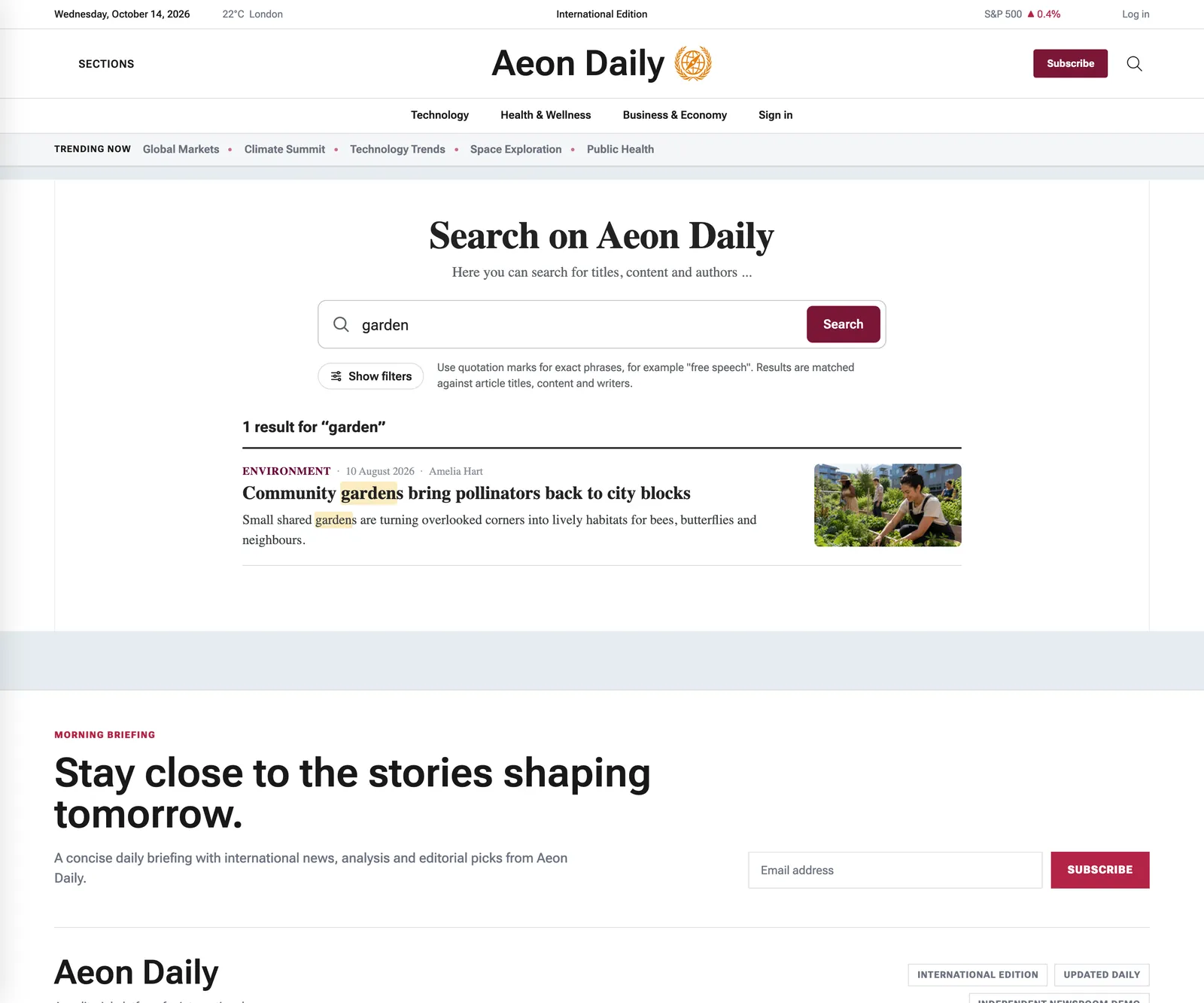
- Ranking. Headlines and whole words weigh more than a passing mention. Exact phrases can be searched with quotation marks.
- Filters. Narrow by section, writer and date, and sort by relevance, newest or oldest.
- Shareable. Every search has its own address.
- Public writers only. The writer filter lists writers from the writer register, never internal accounts.

Settings
Texts on the search page, such as heading, description, placeholder, button and no-results message, are set under Aeon News Options › Search Page Settings, where you can also hide technical categories or writers from the filters. The heading reads “Search on” followed by the site’s domain.
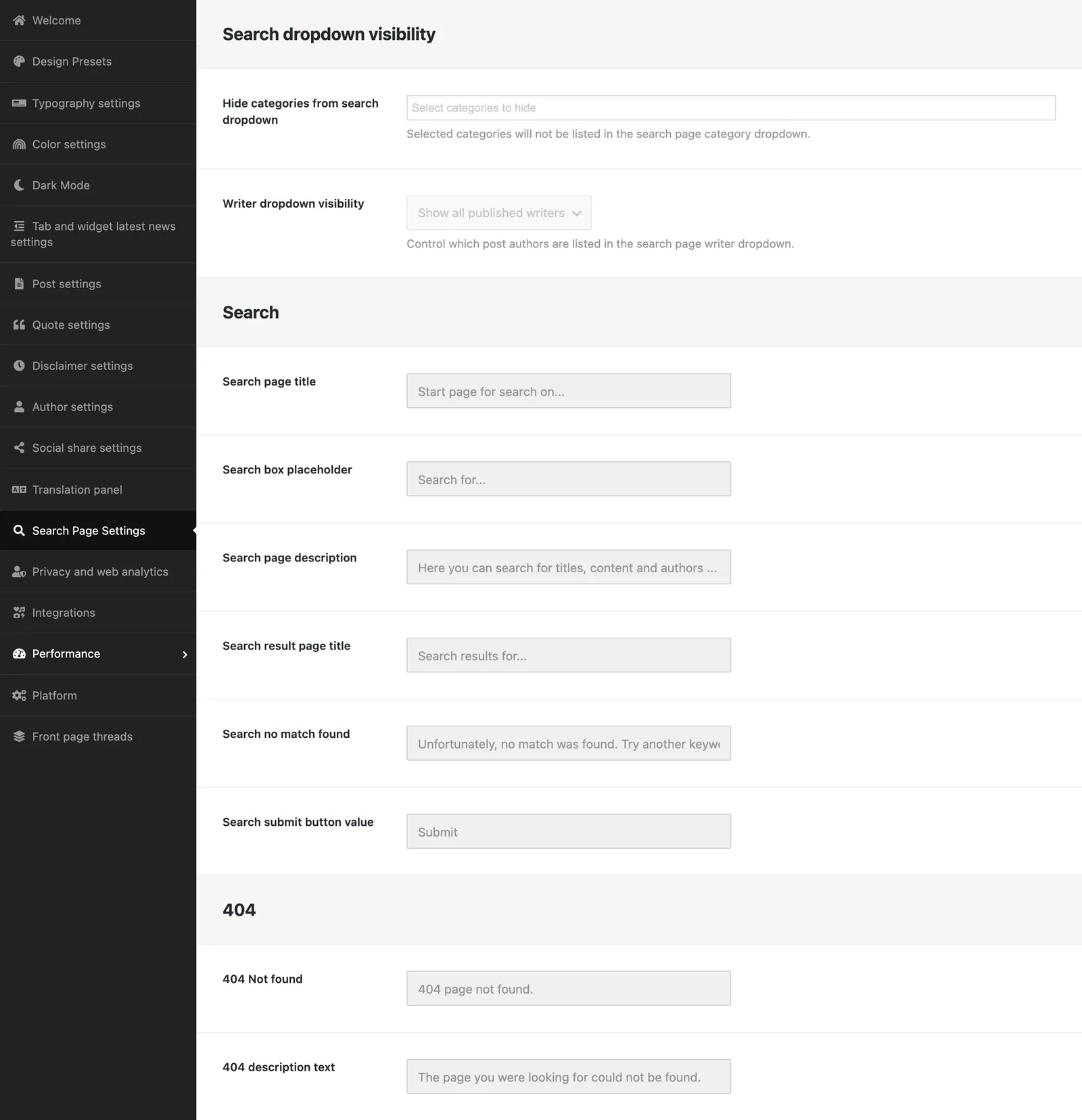
The search page is a page with the Search template. A new site gets one automatically, with an address in its language. If you remove it, searches fall back to WordPress’s basic search.
News Cycle
The News Cycle page template presents the day’s publishing as a timeline, with date selection and previous/next navigation. It helps readers follow a day’s news without confusing chronology with front-page judgement.
Writer, section and topic pages
Writer pages collect one writer’s work, section archives represent permanent desks, and topic pages gather one event or beat. Name each according to its purpose.
Archive maintenance
Change addresses sparingly and add redirects when needed. Review older articles that still receive traffic, especially practical, medical or legal guidance. The theme can show a notice on old articles based on their age.